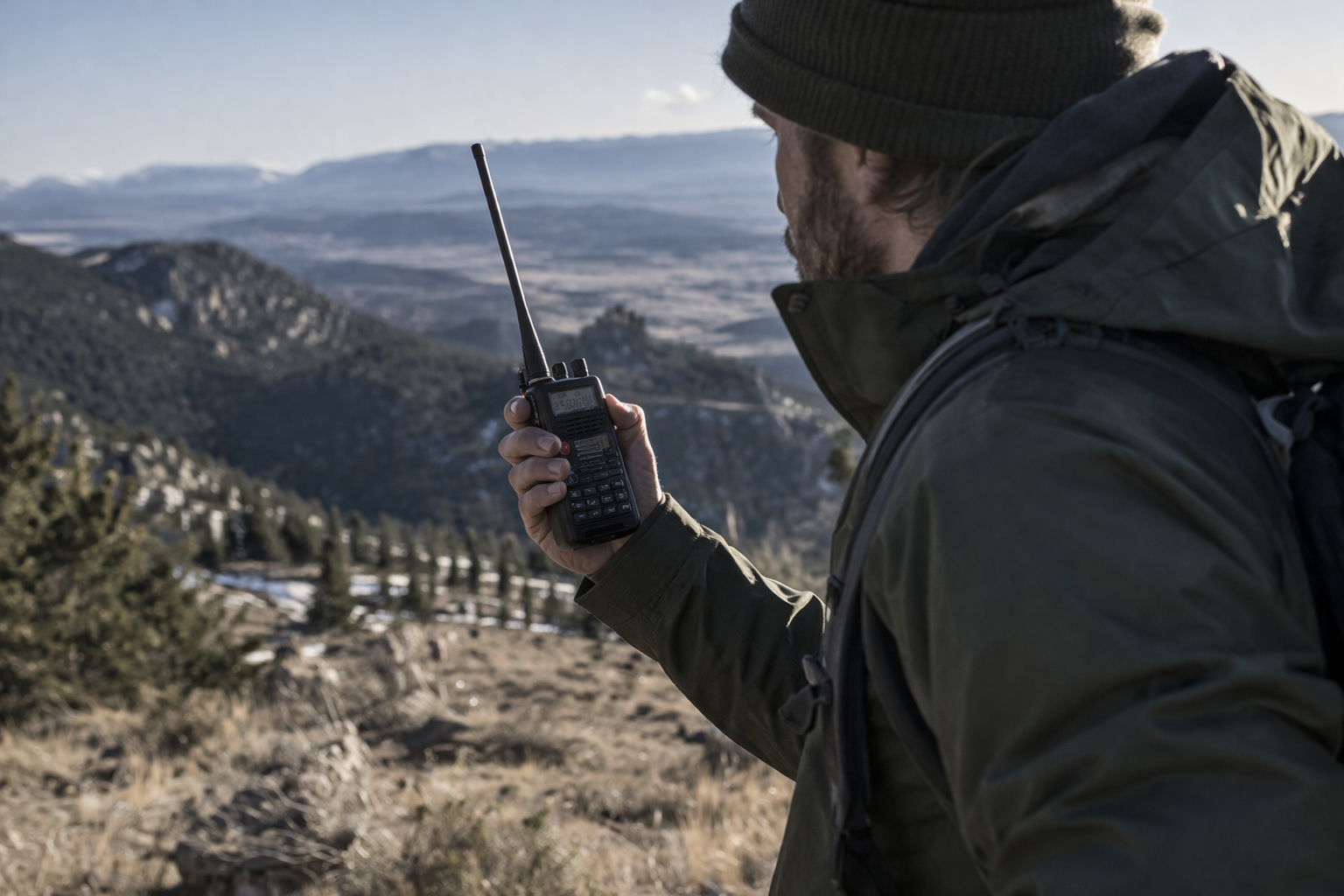
How to Communicate When the Grid Goes Down: Complete Guide
Knowing how to communicate when the grid goes down can make an enormous difference during a widespread blackout, severe storm, natural disaster, or infrastructure failure. Most households depend on smartphones, cellular networks, and internet connections to stay informed and contact family members. But those systems are not guaranteed to remain available during an emergency.
This post contains affiliate links. I may earn a small commission at no extra cost to you. Learn more.
Cellular networks may become congested, home internet equipment can lose power, and damaged communication infrastructure may interrupt service. Even when your smartphone still has battery power, you might be unable to complete a call, send a message, or access important updates.
Fortunately, several emergency communication methods can operate without normal cellular service or home internet. FRS and GMRS radios allow nearby users to communicate directly. Amateur radio provides additional local, regional, and long-distance capabilities. Mesh networks support low-power messaging, while emergency weather radios help households receive important alerts.
The key is building a layered emergency communication system that matches your family’s location, equipment, and actual communication needs.
This guide explains how each system works, what equipment you need, realistic range limitations, licensing requirements, backup power options, and how to create a communication plan before an emergency happens.
For a broader look at household preparedness, see our Emergency Preparedness Plan 2026.
Quick Answer: How Do You Communicate When the Grid Goes Down?
When cellular networks and internet service are unavailable, use direct radio communication such as FRS or GMRS for nearby family members, amateur radio for additional local or long-distance options, and compatible mesh devices for low-power text messaging. A battery-powered NOAA weather radio provides emergency information, while written meeting locations and scheduled check-ins help when two-way communication fails.
For most households, the best starting point is a pair of compatible FRS radios, an emergency weather radio, spare batteries, and a written family communication plan. Add GMRS, amateur radio, or mesh networking when your needs justify the additional equipment and training.
Why Communication Systems Can Fail During a Power Outage
Modern communication networks are more resilient than many people realize, but they still have vulnerabilities. The severity and duration of an outage depend on the type of emergency, the infrastructure affected, and available backup systems.
Cellular Network Congestion
During emergencies, large numbers of people may attempt to call family members, check news, or contact emergency services simultaneously.
That sudden demand can overload available network capacity. Voice calls may fail, mobile data may slow, and messages may be delayed.
However, congestion does not mean every cell tower immediately stops working. Some networks remain operational throughout an emergency, particularly where infrastructure has backup power and sufficient capacity.
When calls are unsuccessful, sending a short text message may be worth trying because it can sometimes use network resources more efficiently.
Loss of Electrical Power
Home Wi-Fi routers, modems, fiber terminals, and other networking equipment usually require electricity. Without backup power, your home internet connection may stop working even if the provider’s network remains operational.
Cell towers and network facilities may have batteries or generators, but backup capabilities vary. Prolonged outages can eventually affect systems that initially remain online.
Our complete grid-down power guide explains how to prepare backup electricity for essential equipment.
Physical Infrastructure Damage
Tornadoes, hurricanes, floods, wildfires, and other disasters can damage antennas, transmission lines, fiber-optic cables, and electrical distribution equipment.
Restoration may take longer when technicians cannot safely reach damaged facilities.
Problems With Internet-Based Communication
Messaging applications, internet calling, and many other services require functioning networks.
If your internet connection fails, those services may become unavailable even though your phone itself is functioning normally.
For a broader look at disaster-related infrastructure disruptions, read First 72 Hours After a Disaster.
The Five Layers of Off-Grid Emergency Communication
A dependable emergency communication plan should provide several ways to exchange information. Each method has advantages, limitations, and different equipment requirements.
| Communication Layer | Common Equipment | Best Use |
|---|---|---|
| Short-range | FRS handheld radios | Family, neighborhood, and property communication |
| Extended local range | GMRS mobile and base radios | Vehicles, rural properties, and local groups |
| Regional and long-distance | Amateur VHF/UHF and HF radios | Communication across wider areas |
| Decentralized messaging | Meshtastic-compatible LoRa devices | Low-power text messages between compatible nodes |
| Information reception | NOAA weather radios and AM/FM receivers | Weather alerts and public information |
These layers are complementary rather than interchangeable. A weather radio can receive warnings but cannot contact family members. A handheld radio can communicate directly with nearby users but cannot automatically reach someone hundreds of miles away.
Understanding these differences prevents expensive equipment purchases that do not solve your actual communication problem.
Layer 1: FRS Walkie Talkies for Family Communication
For most beginners, Family Radio Service (FRS) radios are the simplest way to establish communication without cellular networks or internet access.
FRS radios operate on designated UHF frequencies and can communicate directly with other compatible radios on the same channel.
Why FRS Radios Are Useful
- No individual FCC license is required for ordinary compliant FRS operation in the United States.
- Radios are generally easy to operate.
- They can communicate directly without cell towers or internet access.
- They are useful for family members, campsites, and small properties.
- Many models operate using rechargeable batteries or replaceable battery packs.
FRS radios are particularly useful when household members need to coordinate activities within a relatively small area.
Realistic FRS Radio Range
Radio packaging sometimes advertises distances of 20 miles or more. Those claims usually depend on unusually favorable conditions, such as elevated positions with few obstructions.
In ordinary neighborhoods, buildings, hills, trees, and terrain can substantially reduce usable range.
Communication might extend only several blocks in a difficult urban environment, while open terrain may allow considerably greater distances.
There is no reliable universal range figure because local conditions matter so much.
How to Set Up Family Walkie Talkies
- Charge the batteries or install fresh batteries.
- Choose a channel supported by every radio in your group.
- Match any privacy-code or squelch settings.
- Test communication from different rooms, buildings, and locations.
- Identify areas where signals are unreliable.
- Agree on a backup channel and check-in schedule.
- Practice transmitting short, clear messages.
Privacy codes do not encrypt radio conversations. They generally filter which signals open the speaker, but other users may still hear transmissions on the same channel.
When FRS Is the Best Choice
FRS works well when simplicity is more important than maximum range. It is a practical choice for households that want basic communication without licensing tests or complex equipment.
For model comparisons, see our Best Walkie Talkies for Grid-Down Communication.
Layer 2: GMRS Radios for Extended Local Communication
General Mobile Radio Service (GMRS) provides additional capabilities for families and preparedness groups that need more flexibility than basic FRS equipment offers.
GMRS supports handheld, mobile, and fixed-station operation using FCC-authorized equipment.
FRS vs. GMRS: Important Differences
| Feature | FRS | GMRS |
|---|---|---|
| Individual license | Not required | FCC license generally required |
| Examination | None | No examination |
| Power | Limited by FRS equipment rules | Higher permitted power on certain channels |
| External antennas | Not permitted on standard FRS radios | Available with appropriate equipment |
| Repeater operation | Not supported | Supported on designated channels |
| Best use | Simple nearby communication | More capable family and local-area communication |
Understanding the GMRS License
In the United States, transmitting on GMRS generally requires an FCC license. The application does not require passing a technical examination.
An individual GMRS license can cover certain immediate family members under FCC rules. The license does not automatically authorize every friend, neighbor, or unrelated group member to transmit.
GMRS licenses are generally issued for a ten-year term.
For current requirements, consult the FCC General Mobile Radio Service information.
How to Improve GMRS Range
Increasing transmitter power is not always the most effective way to improve coverage.
Radio performance also depends on antenna placement, terrain, receiver sensitivity, and obstructions.
Consider these improvements:
- Use higher, unobstructed locations when safe.
- Choose equipment with appropriate antenna options.
- Test coverage between the locations that matter.
- Consider properly configured vehicle or base-station equipment.
- Identify available GMRS repeaters before an emergency.
GMRS Repeaters
A repeater receives a signal and retransmits it, often from an elevated location. This can extend communication beyond the range of two handheld radios operating directly.
However, repeater availability depends on coverage, access rules, maintenance, and power. Some repeaters have backup electricity, while others may stop working during an outage.
Always maintain a direct-radio fallback when practical.
Recommended Starter Radio
For a basic family radio setup, compare available features, FCC authorization, battery options, and whether the equipment is intended for FRS or GMRS operation.

Test your actual equipment before relying on it during a disaster. A radio’s advertised maximum range should never replace real-world testing.
Layer 3: Amateur Radio for Local and Long-Distance Communication
Amateur radio, often called ham radio, provides access to multiple frequency bands and communication techniques that go beyond typical consumer walkie talkies.
Licensed amateur radio operators can use suitable equipment for local communication, regional coordination, and potentially long-distance contact.
VHF and UHF Amateur Radio
VHF and UHF handheld radios are commonly used for local communication.
Like GMRS, their range is strongly influenced by terrain, antenna placement, and obstructions.
Local amateur radio repeaters can extend coverage, but they may require functioning power and supporting infrastructure.
A basic VHF/UHF handheld should not be assumed capable of contacting someone hundreds of miles away directly.
HF Amateur Radio
High Frequency (HF) amateur radio provides opportunities for communication across regional, national, and international distances.
Depending on frequency, antenna configuration, time of day, and atmospheric conditions, HF signals may travel far beyond the range of ordinary handheld radios.
HF operation typically requires more planning, suitable antennas, and additional technical knowledge.
Amateur Radio Licensing
In the United States, amateur radio operators generally must obtain an FCC license before transmitting.
The main license classes are Technician, General, and Amateur Extra. Each class has different operating privileges, and obtaining a license requires passing the applicable examination.
Limited emergency exceptions exist under FCC rules, but they are not a substitute for normal licensing and training.
For details, consult the FCC Amateur Radio Service.
Recommended Entry-Level Amateur Radio
An entry-level handheld amateur radio can be useful for learning local radio operation, practicing communication procedures, and participating in suitable amateur radio activities after obtaining the required authorization.
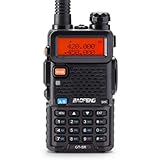
Before purchasing, verify supported bands, transmitter authorization, programming requirements, battery compatibility, and whether the radio matches your intended operating privileges.
Build Experience Before an Emergency
Owning an amateur radio does not automatically create a working emergency communication network.
Practice making contacts, learning local repeater procedures, understanding propagation, and using alternative power sources.
Our HAM Radio for Beginners guide provides a more detailed introduction to licensing, equipment, frequencies, and setup.
Layer 4: Mesh Networks for Off-Grid Text Messaging
Mesh networking provides another communication option when cellular service or internet access is unavailable.
Rather than transmitting voice conversations, many preparedness-oriented mesh systems exchange short digital messages between compatible devices.
What Is a Mesh Network?
A mesh network uses participating devices, often called nodes, to exchange information.
Depending on the system, messages may travel directly between two devices or pass through intermediate nodes to reach a destination.
For example:
- A family member sends a short message using a connected device.
- A nearby radio node receives the message.
- An intermediate node may retransmit it.
- The intended recipient receives the message if a suitable route exists.
Mesh networking can reduce reliance on centralized infrastructure, but it still depends on functioning equipment, compatible settings, radio coverage, and sufficient participating nodes.
How Meshtastic Works
Meshtastic is an open-source communication system that uses compatible low-power LoRa radio hardware.
It is designed primarily for short text messages and location information rather than ordinary voice calls.
Many setups use a smartphone connected to a Meshtastic radio through Bluetooth. The smartphone provides the interface, while the LoRa radio handles the off-grid radio transmission.
Some compatible devices offer alternative interfaces, but configuration and capabilities vary by hardware.
Meshtastic Range and Limitations
Range depends on antenna quality, frequency, terrain, node elevation, and interference.
In dense urban areas, buildings may substantially restrict coverage. Elevated outdoor nodes with favorable line-of-sight conditions may communicate over much greater distances.
Adding nodes can improve coverage only when they are positioned so that useful radio connections exist between them.
Mesh networks are not guaranteed to deliver every message, particularly when the network is sparse, congested, or poorly configured.
Advantages of Mesh Communication
- Low-power text messaging.
- No cellular subscription required for local radio communication.
- Potential multi-hop message forwarding.
- Useful for participating neighborhood groups.
- Portable hardware options.
Limitations to Understand
- Compatible equipment is required at both ends.
- Messages may be delayed or lost.
- Coverage depends on node placement and network participation.
- Configuration and testing are necessary.
- It is not a replacement for emergency calling services.
Recommended Mesh Communication Device
A compatible LoRa device can provide a starting point for experimenting with Meshtastic and creating a local messaging network.

Before purchasing, confirm hardware compatibility, regional frequency configuration, antenna requirements, and available firmware support.
How to Build a Small Family Mesh Network
- Choose compatible Meshtastic hardware for each participating location.
- Install and configure the supported software.
- Select the appropriate regional radio settings.
- Configure communication channels and security settings.
- Test direct messages between devices.
- Identify areas where additional nodes may improve coverage.
- Develop a charging plan and perform regular tests.
Mesh networking works best as a supplement to direct voice communication rather than your household’s only emergency contact method.
Layer 5: Emergency Radios for Receiving Critical Information
Two-way communication helps you contact other people, but receiving reliable public information is equally important.
A battery-powered emergency radio can provide access to weather warnings and broadcast updates without requiring a cellular data connection.
NOAA Weather Radio
NOAA Weather Radio All Hazards broadcasts weather information and warnings through a network of transmitters serving many areas of the United States.
Compatible receivers can monitor available broadcasts, and some models support alert functions.
Coverage depends on location, terrain, transmitter operation, and receiver capability.
Not every emergency radio automatically activates for alerts. Verify that the model supports the desired alert features and configure them correctly.
AM and FM Radio
Local broadcast stations may provide additional information about road conditions, emergency services, shelters, and community recovery.
Some stations have backup power, but broadcasts are not guaranteed to continue during every disaster.
Choosing an Emergency Radio
Look for:
- Reception of relevant NOAA weather channels.
- AM/FM broadcast reception.
- Replaceable or rechargeable batteries.
- USB charging or another suitable charging method.
- Clear controls and adequate speaker volume.
- Alert functions appropriate to your needs.
Solar panels and hand cranks can provide supplemental charging on some radios, but charging performance varies. Maintain charged batteries rather than relying entirely on emergency charging features.
Recommended Emergency Weather Radio
A portable emergency radio can be an important part of your household communication kit.

Test reception at home and confirm which broadcasts are available in your area.
For more options, see Best Emergency Solar Radios for Blackouts.
How to Power Communication Equipment During a Blackout
Backup communication equipment needs an appropriate power plan. Without sufficient electricity or replacement batteries, even a well-designed radio system eventually becomes unavailable.
Start With Device Batteries
Identify the battery type used by every radio and communication device.
Keep compatible replacement batteries or charged spare packs available where practical.
Do not assume that every rechargeable radio accepts ordinary disposable batteries.
Use Power Banks for Small Devices
USB power banks can recharge compatible phones, mesh radios, and other low-power equipment.
Check charging requirements and cable compatibility before an emergency.
Consider a Portable Power Station
A portable power station can provide a larger energy reserve for charging multiple devices.
It may also support compatible base-station equipment, depending on electrical requirements.

Verify the power station’s usable capacity, output specifications, charging options, and compatibility with your communication equipment.
Add Solar Charging When Practical
Solar panels can replenish batteries during extended outages when sufficient sunlight is available.
However, solar production varies with weather, season, shading, panel placement, and equipment efficiency.
Solar charging should be sized around expected energy use rather than assumed to provide unlimited electricity.
For system sizing, see what size solar generator you need to keep critical devices running.
Estimate Your Communication Power Requirements
Battery capacity is commonly expressed in watt-hours (Wh). To estimate energy use, multiply a device’s average power consumption in watts by the number of hours it operates.
Energy used (Wh) = Power (W) × Operating time (hours)
For example, a device averaging 5 watts over 8 hours uses approximately 40 watt-hours of energy.
Actual battery requirements will be higher when accounting for conversion losses, standby consumption, and charging inefficiencies.
Use the Emergency Power Planner to estimate your household’s backup electricity requirements.
Conserve Energy With Scheduled Communication
Instead of leaving every device transmitting or operating continuously, establish regular check-in times when appropriate.
For example, family members could check their designated radio channel at 8:00 a.m., noon, and 6:00 p.m.
Keep a radio available for urgent communication when safety requires it. Do not sacrifice emergency monitoring merely to conserve battery power.
Building a Family Off-Grid Communication Plan
Equipment is only useful when everyone understands how to operate it and what to do if communication fails.
A written family communication plan should identify who to contact, which equipment to use, when to check in, and where to meet if contact is impossible.
Step 1: Identify Who Needs to Communicate
List the people and locations that matter most:
- Family members at home.
- Children at school or childcare.
- Relatives living nearby.
- Neighbors participating in your communication plan.
- An out-of-area emergency contact.
Consider the distances involved and whether direct radio communication is realistic between those locations.
Step 2: Choose Primary and Backup Methods
For a household, the primary method might be ordinary phone calls and text messages while service remains available.
If those fail, the backup could be FRS or GMRS radios for nearby contacts, with an agreed meeting location when radio coverage is insufficient.
Amateur radio or mesh communication can be additional options for trained and equipped participants.
Step 3: Agree on Channels and Check-In Times
Choose compatible radio settings and test them in advance.
Do not assume a particular radio channel will always be clear or available.
Record your primary channel, backup channel, and agreed check-in schedule on a laminated card or printed household plan.
Step 4: Establish Meeting Locations
Choose at least two locations:
- A nearby meeting point for local emergencies.
- A secondary meeting point outside the immediate neighborhood.
Meeting locations should be selected with likely hazards and evacuation routes in mind.
For additional planning, see how to choose the right bug-out location before it’s too late.
Step 5: Establish a Failed-Contact Procedure
Decide what family members should do if they miss a scheduled check-in.
For example:
- Attempt contact using the primary method.
- Try the agreed backup method.
- Retry at the next scheduled check-in when safe.
- Contact the designated out-of-area person if available.
- Follow the established meeting or evacuation plan when necessary.
Do not automatically travel to a meeting location if doing so would expose someone to flooding, fire, severe weather, or other immediate hazards.
Step 6: Practice Before an Emergency
Conduct occasional communication drills using your actual equipment.
Test radios from realistic locations rather than only across the same room.
Check battery condition, antennas, stored settings, charging cables, and the ability of every participating family member to operate the equipment.
Example 72-Hour Emergency Communication Schedule
The following is an example household plan. Adjust the times and equipment to match your family’s needs.
| Time | Communication Task | Equipment |
|---|---|---|
| 8:00 a.m. | Morning family check-in | Phone or designated two-way radio |
| 9:00 a.m. | Review weather and local alerts | NOAA weather radio |
| Noon | Midday family check-in | Designated radio or messaging method |
| 3:00 p.m. | Check official updates and equipment batteries | Emergency radio and power equipment |
| 6:00 p.m. | Evening family check-in | Primary and backup communication equipment |
This schedule should supplement, not replace, immediate communication when urgent assistance is needed.
Common Off-Grid Communication Mistakes
Buying Radios Without Testing Them
Advertised range does not guarantee performance between your actual locations. Test equipment in the environment where it will be used.
Assuming Every Radio Can Communicate With Every Other Radio
FRS, GMRS, amateur radio, and LoRa mesh systems have different operating requirements. Some equipment may share frequencies or capabilities, but compatibility is not universal.
Ignoring Licensing Requirements
Before transmitting, confirm that your equipment and intended use comply with applicable FCC rules.
Relying Entirely on Repeaters
Repeaters can extend coverage but may lose power, suffer damage, or become unavailable. Practice direct communication where possible.
Overestimating Mesh Network Coverage
A mesh radio does not automatically create a community-wide network. Useful coverage requires compatible devices positioned within workable radio range.
Forgetting Spare Batteries
Check battery condition and charging compatibility regularly. Keep replacement batteries or charged spare packs where appropriate.
Having No Failed-Contact Plan
Even well-prepared equipment can fail. Written contact information, meeting locations, and predetermined procedures provide another layer of preparedness.
Off-Grid Communication Checklist
Family Emergency Communication Checklist
- Choose a primary communication method.
- Prepare a backup method that does not require cellular service.
- Test radios between important locations.
- Confirm appropriate radio licensing and equipment authorization.
- Record primary and backup channels or settings.
- Establish scheduled family check-ins.
- Choose primary and secondary meeting locations.
- Identify an out-of-area emergency contact.
- Keep written contact information accessible.
- Maintain spare batteries and charging cables.
- Test emergency weather radio reception.
- Plan backup electricity for communication equipment.
- Practice what to do if all communication methods fail.
Frequently Asked Questions
Will walkie talkies work when the power grid goes down?
Yes. Compatible walkie talkies can communicate directly without household electricity, cellular service, or internet access, provided their batteries are charged and the radios are within usable range.
Can I use GMRS radios without a license?
In the United States, transmitting on GMRS generally requires an FCC license. No examination is required, and certain immediate family members may operate under the license holder’s authorization.
Can ham radio work without electricity?
Amateur radio equipment requires electrical power, but it can operate using batteries, suitable portable power stations, or other independent power sources. Some amateur radio contacts can be made directly without repeaters or internet infrastructure.
How far can an emergency radio transmit?
Range depends on the radio service, frequency, antenna, terrain, and operating conditions. Basic handheld radios are generally best for local communication, while appropriately configured amateur HF stations may support much longer distances.
Does Meshtastic work without the internet?
Yes. Compatible Meshtastic devices can exchange messages using LoRa radio signals without internet access. Successful communication still depends on radio coverage, compatible settings, and available nodes.
Can a NOAA weather radio contact emergency services?
No. Standard NOAA weather radios are receivers, not two-way emergency calling devices. They provide information and alerts but cannot transmit requests for assistance.
What is the best communication method for a family during a blackout?
For nearby communication, compatible FRS radios are often a practical starting point. A weather radio, charged phones, written emergency contacts, and agreed meeting locations provide additional protection.
Should I buy every type of emergency radio?
No. Start with the communication needs you actually have. Add more advanced systems only when they provide a useful capability and your household can operate and maintain them.
Final Thoughts
Learning how to communicate when the grid goes down is about more than purchasing radios. A dependable communication system combines appropriate equipment, realistic expectations, backup electricity, and a plan everyone understands.
Start with the basics: maintain a way to receive emergency information, establish nearby communication, and create written family contact procedures.
Then consider GMRS, amateur radio, or mesh networking if your household needs additional range or capabilities.
No communication method is guaranteed to work in every disaster. But a layered system gives your family more options when cellular networks, internet connections, or normal electrical service become unavailable.
For additional equipment options, see our Emergency Communication Gear List.
Further Reading
- Complete Off-Grid Communication System (No Phone, No Internet) — Building a broader emergency communication network.
- Ham Radio for Beginners — Licensing, frequencies, and equipment.
- Best Solar Power Stations for Blackouts — Choosing reliable backup electricity.
- First 72 Hours After a Disaster — Emergency priorities during the first three days.
Safety References and Additional Resources
- Federal Communications Commission: General Mobile Radio Service — Licensing and operating requirements.
- Federal Communications Commission: Amateur Radio Service — Amateur radio licensing and regulations.
- National Weather Service: NOAA Weather Radio All Hazards — Broadcast coverage and alert information.
- Ready.gov: Make a Plan — Family emergency communication and preparedness planning.
- Meshtastic: Official Meshtastic Documentation — Hardware, configuration, and network operation.